
 Image 1 of 4
 Image 2 of 4
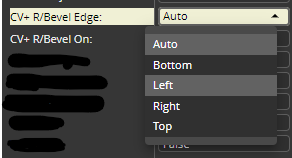 Image 3 of 4
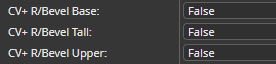 Image 4 of 4
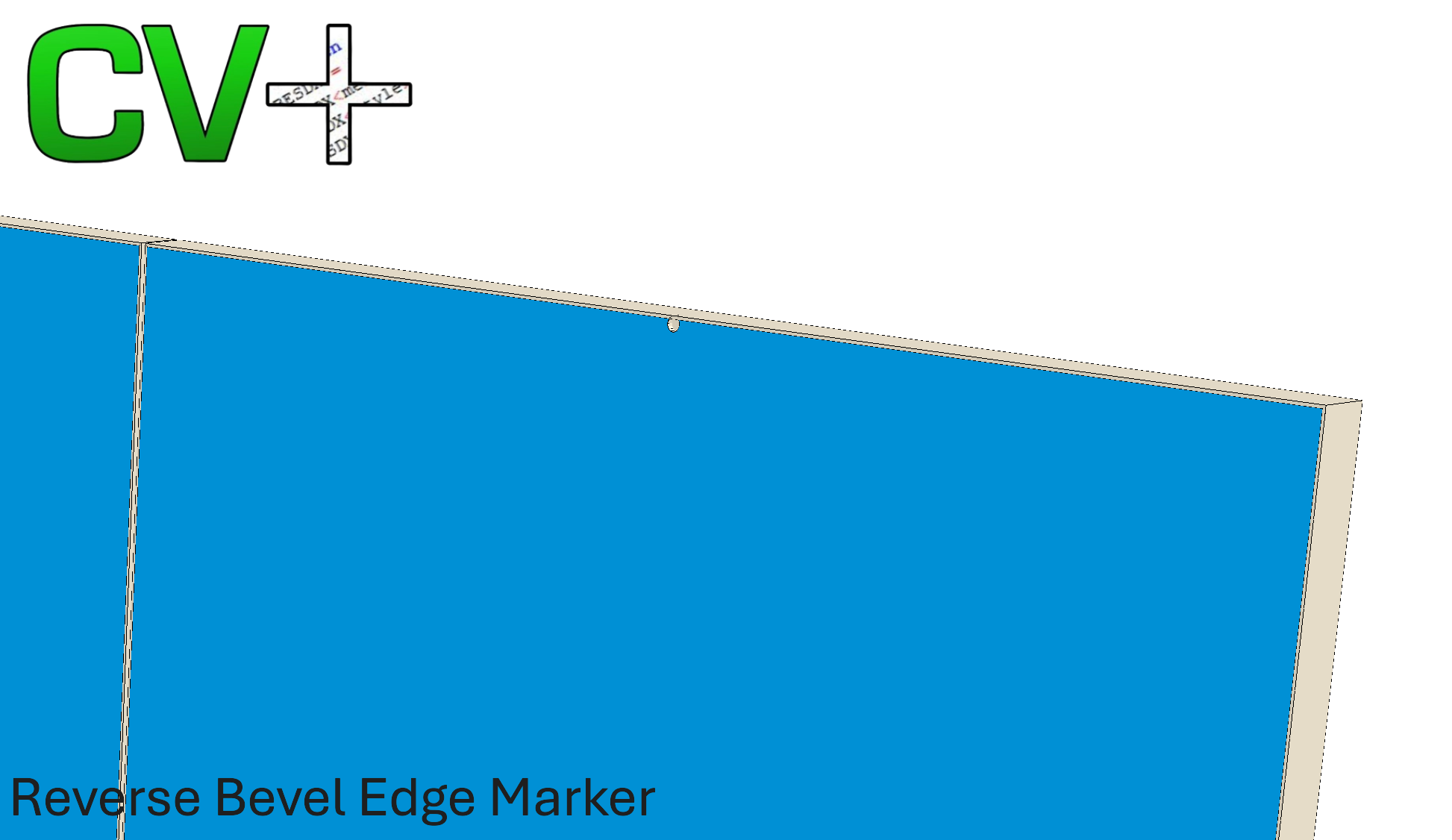
The CV+ Reverse Bevel Edge Marker UCS Marks The Edge Where Secondary Machining Is Needed To Create The R/Bevel Edge Finger Grip.
Control Edge Marking In Multiple Locations. Room Level Must Be Turned On If Any Doors Or Drawers Are To Have A Reverse Bevel Edge.
Room Level - Option to Apply Marker to Base, Tall Or Upper Cabinets Individually. I.e. Base Cabinets Only Or Any Combination
Cabinet Level - Set To On By Room Level Attribute. Turn Off If Specific Cabinet Doesn’t Require R/Bevel Edge Marker
Door & Drawer Front Level. Set To On By Cabinet Level Attribute. Turn Off If Specific Door Or Drawer Doesn’t Require R/Bevel Edge Marker
Marker Hole Positioning Is Automatic Depending On Cabinet Class (Door/Drawer Level Modification To Shift Marker To Different Edge)
Base - Top Edge Of Doors And Drawer.
Tall - Opposite Side To Hinges.
Upper - Bottom Edge Of Doors
Doors & Drawers With R/Bevel Marker Hole Enabled Automatically Have Pulls Removed. No Accidental Machining.
Marker Hole Tool, Diameter & Depth Can Be Set By User In UCS Public Variables.
This UCS Only Works Correctly With Doors And Drawers With Standard 4 Edges (Top, Bottom, Left & Right)
Need help installing? Limited support included with all packages
The CV+ Reverse Bevel Edge Marker UCS Marks The Edge Where Secondary Machining Is Needed To Create The R/Bevel Edge Finger Grip.
Control Edge Marking In Multiple Locations. Room Level Must Be Turned On If Any Doors Or Drawers Are To Have A Reverse Bevel Edge.
Room Level - Option to Apply Marker to Base, Tall Or Upper Cabinets Individually. I.e. Base Cabinets Only Or Any Combination
Cabinet Level - Set To On By Room Level Attribute. Turn Off If Specific Cabinet Doesn’t Require R/Bevel Edge Marker
Door & Drawer Front Level. Set To On By Cabinet Level Attribute. Turn Off If Specific Door Or Drawer Doesn’t Require R/Bevel Edge Marker
Marker Hole Positioning Is Automatic Depending On Cabinet Class (Door/Drawer Level Modification To Shift Marker To Different Edge)
Base - Top Edge Of Doors And Drawer.
Tall - Opposite Side To Hinges.
Upper - Bottom Edge Of Doors
Doors & Drawers With R/Bevel Marker Hole Enabled Automatically Have Pulls Removed. No Accidental Machining.
Marker Hole Tool, Diameter & Depth Can Be Set By User In UCS Public Variables.
This UCS Only Works Correctly With Doors And Drawers With Standard 4 Edges (Top, Bottom, Left & Right)
Need help installing? Limited support included with all packages